How to Remove Ads Limit from Google AdSense and Restore Earnings in a Week (2026)
Removing AdSense Ads Limit May Take Less Than 30 Days If You Follow the Right Steps
As a website owner running online business content for HavenKenya.com, I recently faced a frustrating AdSense ad limit that reduced my revenue. After testing several solutions, I managed to remove the limit in just 8 days.
This issue is normally very disappointing because some publishers do blogging as a full-time job, depending on the revenue to pay their bills. The limit can hinder you from reaching the $70 threshold. As a student, I use the money to cater to my university expenses.
This Is What I Learned That Caused the Issue
Causes of Google Ads Limit in 2026
As you all know, in 2026, there is Artificial Intelligence in Google Search. When someone searches for something on Google, it has led to a reduced number of clicks compared to previous years, as I confirmed through Google Search Console.
After noticing that much of my traffic no longer came from Organic Search, I opened a Facebook account to start getting traffic directly from Facebook (organic social). The bad thing about this kind of traffic is that it is not consistent, and sometimes it can spike too high, which may trigger invalid clicks. Users also don’t stay long when reading articles.
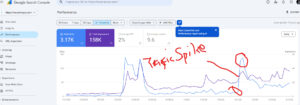
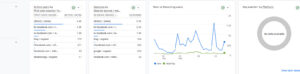
From the graph below, you can see that from Tuesday, 27 January to Thursday, 29 January, there was a big increase in traffic after I posted about the KCSE release. Students were eagerly waiting for the outcome across the country, which led to too many searches on Facebook and the X platform. From my understanding, Google took this as unusual traffic and sent me a message through my email:
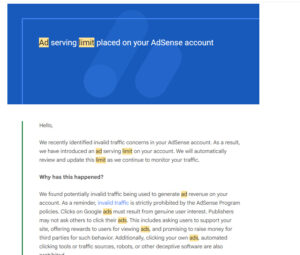
“Hello, we recently identified invalid traffic concerns in your AdSense account. As a result, we have introduced an ad serving limit on your account. We will automatically review and update this limit as we continue to monitor your traffic.”
I felt really bad about this and wondered what I would do to remove it. I really wanted to have more money in my account. I almost gave up on blogging because I was now seeing many challenges. I even thought of leaving it and focusing on my photography as a full-time job.
I started going through online guides on YouTube and across the internet. People had different opinions on how to remove the ads limit quickly. I tried to apply some of the ideas, but they never helped me.
My friend even told me to continue pushing traffic through Facebook and that the ad limit would go away eventually — but nothing happened.
How I Finally Managed to Regain My AdSense Account and Start Showing Ads
I went back and carefully checked the email sent by Google. I read the section on how to help prevent invalid traffic. They explained that you must understand your traffic and site visitors.
I used Google Analytics and discovered that my traffic had really spiked, and I was getting many invalid clicks.
So I decided to increase my organic traffic. Since I also publish biographies, I wrote about trending celebrities, and this brought many people to my site. Organic traffic increased to about 80% after consistent publishing of original content.
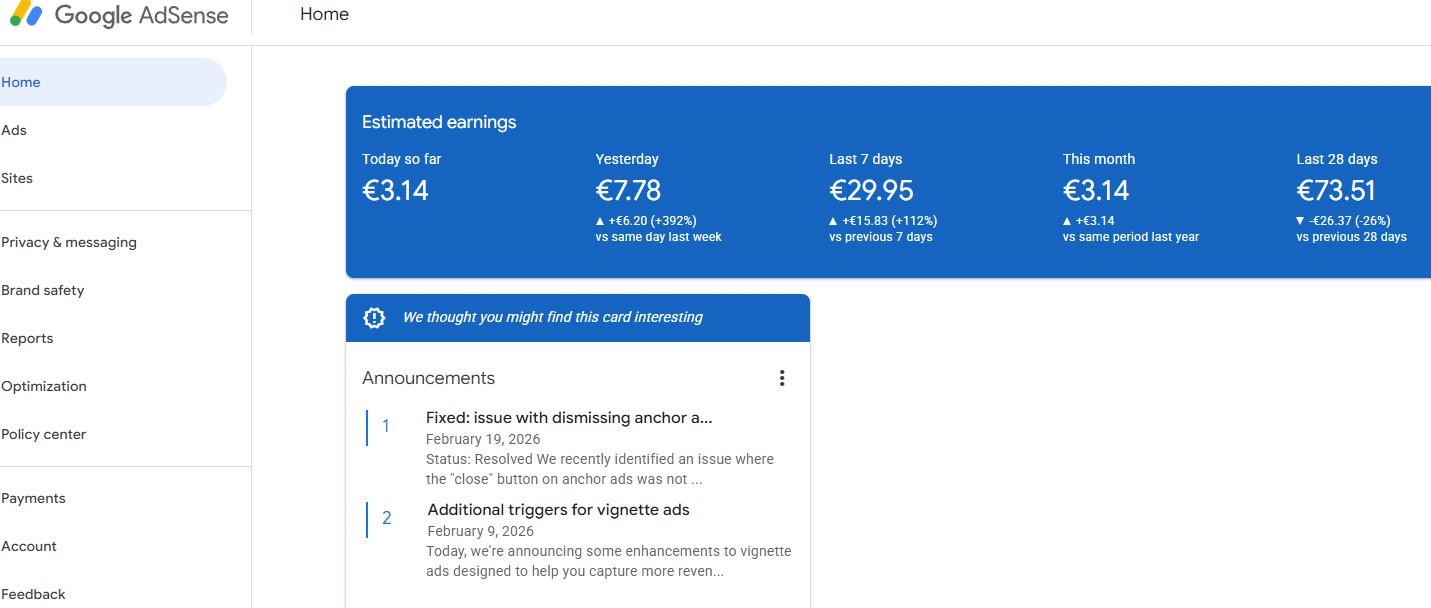
I was not worried because I knew I was doing the right thing. After a few days, I started seeing my ads appearing again on my website. I was really overwhelmed, and I promised myself to always follow Google policies. From this i learned that increasing organic traffic can quickly help your account.
The message will still stay on the dashboard for some time, then disappear eventually after one week.
How to Deal with Facebook Traffic to Prevent Being Given Ads Limit
As many publishers shift to getting more traffic from social media, it comes with risks if you don’t know how to manage it.
To stay safe:
-
Avoid using clickbait
-
Avoid too many viral posts at once
-
Build an audience that understands your content
-
Encourage users to read longer to reduce bounce rate
Managing your traffic quality is the best way to protect your AdSense account.
Facts You Should Know After Receiving an Ads Limit on Your AdSense Account
- Turning Auto Ads off won’t help; instead, leave them as they are. Make sure your ads are placed correctly, and remove any other banners or ads that are not from Google AdSense during this period.
- Do not remove the ads.txt file, as Google uses it to monitor traffic on your site.
- By following the correct rules, the limit will be removed automatically. The removal process is automatic by the system bot, and you cannot appeal.
- You are responsible for any illegal activity on the page. Even if someone is clicking on your ads, you must take action yourself.